Cell Unit Tests
Every Python cell can carry its own pytest tests - written right next to
the cell, run against the cell's real outputs, with per-test pass/fail surfaced
inline. It's the missing half of a reactive notebook: the DAG keeps your cells
consistent, and cell tests keep them correct.
These are real pytest runs, not a lookalike. Assertion rewriting (so a
failed assert df.shape == (200, 5) shows you both sides), fixtures,
@pytest.mark.parametrize, and marks all work, because the runner shells out to
pytest in the notebook's own environment.
Python cells only
Cell tests are available on Python code cells. pytest is installed into
the notebook's environment on the first test run if it is not already
there, and dev dependencies are excluded from the provenance environment
hash, so adding it does not invalidate any cached cell. If that install
fails, the run surfaces an actionable message rather than failing
silently.
The cell fixture
Tests receive one fixture - cell - whose attributes are the cell's
namespace after it runs against its real upstream inputs. cell.X is
whatever X is at the end of the cell:
- a function or class the cell defines (
cell.featurize,cell.Model), - an upstream input the cell consumes (
cell.trips,cell.sales), - a value the cell computed (
cell.revenue,cell.accuracy).
# tests for a cell that builds a `sales` DataFrame
def test_row_count(cell):
    assert len(cell.sales) == 200


def test_revenue_is_units_times_price(cell):
    expected = cell.sales["units"] * cell.sales["price"]
    assert (cell.sales["revenue"] == expected).all()
The cell body runs once per test session (in a fixture), with its upstream
artifacts deserialized in the test process and injected - so cell.sales is the actual DataFrame
your upstream cell produced, not a mock. If the cell source itself raises, every
test that requests cell reports a clear setup error rather than an opaque
collection failure.
Writing and running tests
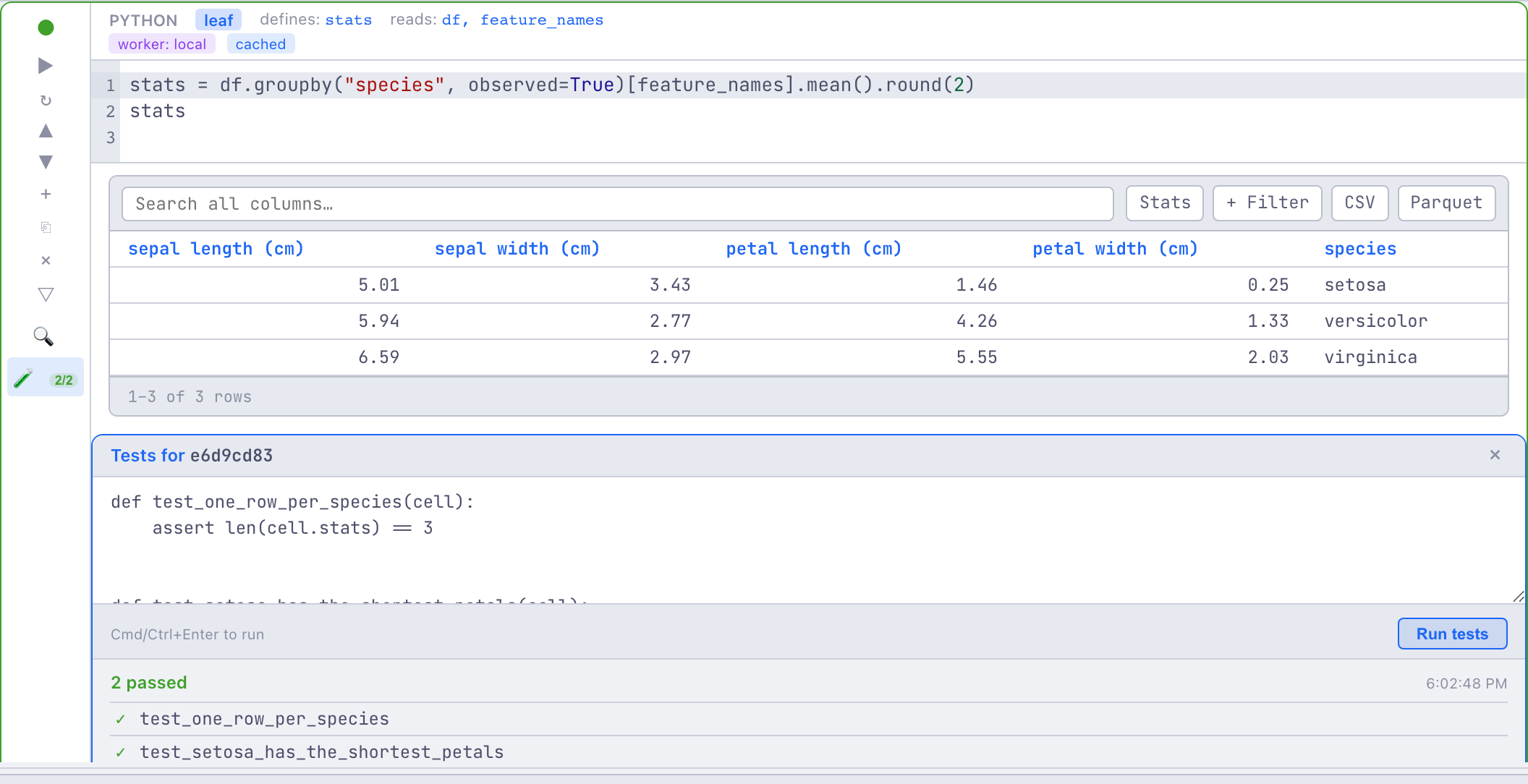
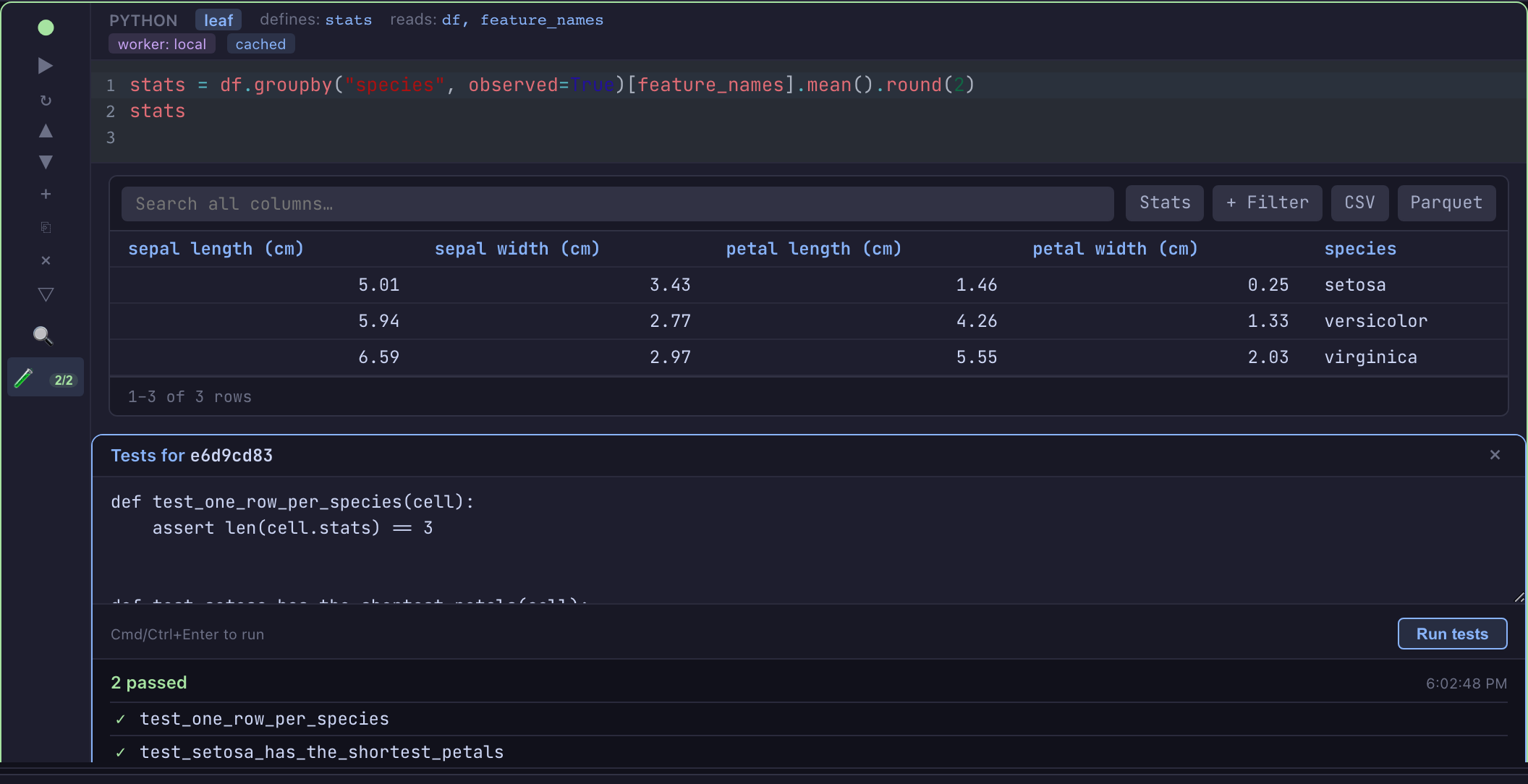
Open the Tests panel on any Python cell (the flask toggle next to Inspect)
and write your tests. They're saved as a committed sibling file,
cells/<cell-id>.test.py, so they version and review alongside the cell source.
A cell with no tests carries no .test.py file.
Running them (the ▶ in the panel, or see over WebSocket
below) shells out to pytest against a temporary run directory holding a copy
of the cell source, the upstream inputs, and your test file staged under a
test_*.py name (which is what gives you native collection and assertion
rewriting).
Before the run, any stale upstream cell is materialized, exactly as a normal
run of the cell would (an unchanged upstream is a cache hit), so cell.sales
is current. The cell's @fetch files, @mount paths, @dataset values,
@table names (and their _snapshot ids) and notebook and @env variables
are bound as they are in a run. A fetch, dataset or table that cannot be
resolved fails the run with one errored result naming it.
The health badge
The flask toggle doubles as a status badge, so a cell's test health is visible without opening the panel:
| Badge | Meaning |
|---|---|
✓ 4/4 |
all tests passed |
| red | one or more failed |
| amber | errored - the cell source or test setup blew up |
· stale |
the cell, its tests or its inputs changed since the last run |
Stale is computed from a fingerprint of (cell source, test source, inputs),
where the inputs are everything a run of the cell reads: upstream versions,
@fetch, @mount, @dataset and @table fingerprints, and the environment
(env variables the cell reads and the locked dependencies). Edit the cell, edit
the tests, change an upstream, a mounted file or an env value - the badge goes
stale, telling you the last green result no longer reflects the code. Inputs
outside the notebook (tables, mounts, fetches, datasets) are re-read when the
notebook recomputes staleness, as it does after every edit, not each time the
badge is drawn. A table with no snapshots yet counts as the same input until it
gets one; a cell whose upstream is stale shows its tests stale too.
What persists
Results are saved to .strata/runtime.json and rehydrate when you reopen the
notebook, so you see the last run's pass/fail and the stale badge immediately,
without re-running. (Test source lives in the committed cells/<id>.test.py;
the results are runtime state under .strata/, like the rest of
runtime.json.)
Over WebSocket
Cell tests are fully driveable over the notebook WebSocket protocol, so non-Vue clients and automation can run them too:
- send
cell_run_testswith the cell id; - receive
cell_test_status(running → done) andcell_test_results(per-test outcomes, counts, durations).
See the WebSocket Protocol reference for the frame shapes.
From the CLI, REST and MCP
- CLI:
strata cell test <notebook_dir> <cell_id>runs a cell's tests and exits non-zero on a failure.--file tests.py(or-for stdin) sets the test source first. Add--server http://localhost:8765 --session <id>to drive a live session instead. - REST:
POST /v1/notebooks/{id}/cells/{cell_id}/testsruns them and returns the counts and per-test outcomes.PUTon the same path sets the test source. - MCP: the
run_teststool, with the session id and cell id.
While the notebook's environment is not ready (still being created, a failed
sync, or an environment job running), the REST route answers 409 with code
ENVIRONMENT_BUSY and the WebSocket replies with an error frame carrying the
same code.
A worked example
The pandas_basics example ships tests on four
of its cells - validating a produced DataFrame, a computed column, a filter
invariant, and an aggregation - a good template for the common shapes:
# cells/select-filter.test.py - pin a filter invariant
def test_predicate_holds_for_every_row(cell):
    assert (cell.high_value["units"] > 20).all()
    assert (cell.high_value["price"] > 30).all()
Limitations
- Python cells only (not prompt, SQL, R, or markdown cells).
pytestmust be installable into the notebook environment (it is added to the dev dependencies on the first run if missing).- Tests run the cell's source, so they run as the same OS user a cell does. A
service host with no
STRATA_NOTEBOOK_HARNESS_USERrefuses them, and the run reports one errored test saying why. - Tests run against a re-executed copy of the cell with injected inputs - they don't share live state with an interactive run, so they're deterministic but won't see, e.g., a variable you only set in the REPL.
The generated test runner is written to be liftable to a standalone pytest plugin, so the same cell tests can drive a CI or pre-commit check later.
See also: Cell Types · Cell Annotations ·
pandas_basics example